Microsoft Teams vs Browser VoIP: Why Teams Isn't a Real Skype Replacement
Microsoft pushed Skype users to Teams, but Teams isn't built for personal international calls. Compare Teams with browser VoIP for real-world calling needs.
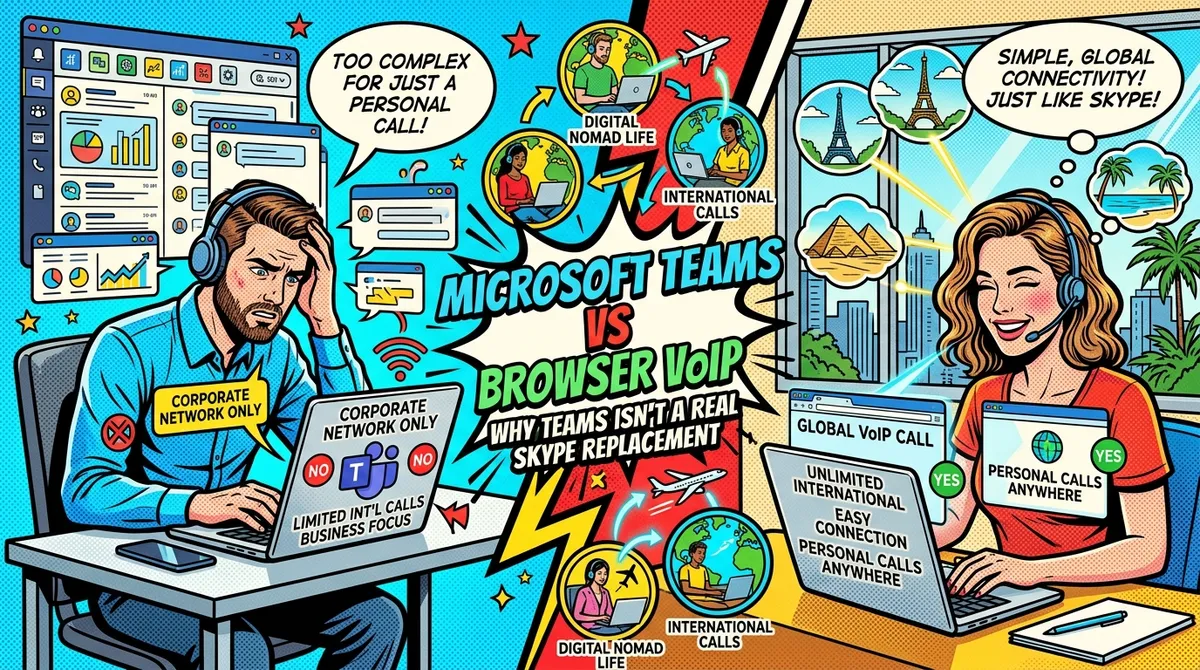
Microsoft killed Skype’s consumer calling service and told everyone to use Teams instead. That sounds reasonable until you actually try to call your bank in New York from a cafe in Lisbon using Microsoft Teams. Then you realize the microsoft teams vs skype replacement story has a pretty big gap in it.
Teams is a workplace collaboration tool. It was built for companies with IT departments, Microsoft 365 subscriptions, and conference rooms full of people who say “let’s circle back.” It was not built for a freelancer sitting in Chiang Mai who needs to call a US toll-free number to unlock a frozen credit card.
If you were one of the millions of people who used Skype credits to make cheap international calls to real phone numbers, Teams is not the answer Microsoft wants you to believe it is. But browser-based VoIP services are. Let’s break down why.
What Microsoft Teams Actually Offers (And What It Doesn’t)
When Microsoft announced Skype’s shutdown, the messaging was simple: move to Teams. But the version of Teams most people can access for free is missing the one feature Skype users cared about most — calling real phone numbers.
Teams Free
The free version of Microsoft Teams gives you:
- Chat and messaging
- Video meetings (up to 60 minutes with the free tier)
- Screen sharing
- File sharing up to 5 GB
What it does not give you: the ability to call a landline or mobile phone number. Zero PSTN (Public Switched Telephone Network) calling. You can only call other Teams users.
Teams with Microsoft 365
If you pay for a Microsoft 365 Personal or Family subscription ($6.99-$9.99/month), you still don’t get phone calling by default. Microsoft 365 Business plans include Teams, but PSTN calling requires an additional add-on.
Teams Phone and Calling Plans
To actually call phone numbers from Teams, you need:
- A Microsoft 365 Business plan (starting at $6/user/month)
- A Teams Phone license ($8/user/month)
- A domestic or international calling plan ($12-$24/user/month)
That’s a minimum of $26/month before you make a single call. And that’s the business pricing — there is no consumer-oriented Teams calling plan designed for individuals.
For a digital nomad who makes 15 international calls a month, this setup is absurd. You’re paying for an enterprise phone system to do what Skype credits handled for a few dollars.
The Core Problem: Teams Is Enterprise Software
Microsoft Teams was designed for organizations. Every feature, every pricing tier, every integration assumes you’re part of a company. This creates real problems for individual users and digital nomads.
You Need an Admin
Many Teams Phone features require a Microsoft 365 admin to configure. Things like call routing, voicemail policies, and number assignment are managed through an admin portal. If you’re a solo freelancer, you are the admin, the user, and the IT department — and the setup process reflects none of that.
The Pricing Makes No Sense for Individuals
Let’s put this in perspective. You need to call a US toll-free number to sort out a bank issue. The call will probably take 30 minutes, including hold time.
With Teams Phone plus a calling plan, you’re paying at least $26/month for the privilege. That works out if you’re a company making hundreds of calls. It makes zero sense if you make 10-15 calls a month to various countries.
No Pay-As-You-Go Option
Skype had credits. You bought $10 worth, used them when you needed them, and they lasted until you used them up. Teams has no equivalent. It’s subscriptions or nothing.
Geographic Restrictions
Teams Calling Plans are only available in certain countries. If you’re a nomad moving between countries, you may find that the calling plan you set up in one location doesn’t work — or isn’t available — in another. The licensing is tied to your Microsoft 365 region, not your current location.
What Browser VoIP Services Do Differently
Browser-based VoIP services are built for a completely different use case. They’re designed for individuals who need to call real phone numbers from anywhere in the world, without enterprise infrastructure.
Here’s what separates them from Teams.
No App Required
You open your browser, go to the website, and make a call. No downloading Teams (which is 300+ MB), no signing into a Microsoft account, no configuring anything. Browser VoIP works on any device with a modern browser — laptop, tablet, phone, borrowed computer at a hostel.
Pay-As-You-Go Pricing
Most browser VoIP services use a credit-based model. You buy credits, you use them when you call, and you’re charged per minute. No monthly subscription required. No minimum commitment. Credits typically don’t expire (or have very long expiration windows).
Works From Anywhere
Browser VoIP services don’t care where you are. You could be in Bali, Berlin, Buenos Aires, or Bangalore. As long as you have an internet connection, you can call any phone number in 150-210+ countries. There are no regional restrictions on your account.
Built for Calling, Not Collaboration
Teams is a collaboration platform that added phone calling as a premium feature. Browser VoIP services are calling platforms. That’s what they do. The entire experience is optimized for dialing a number and having a conversation, not managing channels, scheduling meetings, or sharing PowerPoint files.
Feature Comparison: Teams vs Browser VoIP
Here’s a side-by-side look at what each option actually gives you for international calling.
| Feature | Microsoft Teams (Free) | Teams + Calling Plan | Browser VoIP (e.g., NomaPhone) |
|---|---|---|---|
| Call real phone numbers | No | Yes (with add-ons) | Yes |
| Monthly cost | $0 | $26+/user/month | $0 (pay per use) |
| Pay-as-you-go | No | No | Yes |
| Works in browser | Yes (for chat/video) | Yes (for chat/video) | Yes (for everything) |
| App download needed | Recommended | Recommended | No |
| Setup time | Minutes | Hours (admin config) | 30 seconds |
| Works from any country | Yes (chat/video only) | Limited by plan region | Yes |
| Enterprise admin required | No | Effectively yes | No |
| Credits that never expire | N/A | N/A | Yes (varies by provider) |
| SMS/2FA support | No | Limited | Yes (some providers) |
Cost Comparison: What You Actually Pay
Let’s compare the real cost of making international calls with each option. We’ll use a typical digital nomad scenario: 15 calls per month, averaging 15 minutes each, mostly to the US.
| Method | Monthly Cost | Cost per 30-min US Call | Notes |
|---|---|---|---|
| Teams Free | $0 | Cannot call phones | No PSTN calling |
| Teams + Calling Plan | $26+/month | Included (but you pay regardless) | Requires Microsoft 365 Business |
| NomaPhone | $6.75/month (usage only) | $0.90 | $0.03/min, no subscription |
| YadaPhone | $4.50/month (usage only) | $0.60 | $0.02/min, no subscription |
| DialAnyone | $1.13/month (usage only) | $0.15 | $0.005/min, no subscription |
| Google Voice | Free | Free | US residents only, quality issues abroad |
| AT&T Roaming | $30-90/month | $75.00 | $2.50/min international roaming |
| T-Mobile (Magenta) | $7.50/month | $7.50 | $0.25/min in 200+ countries |
The math is straightforward. If you make 15 calls at 15 minutes each to US numbers, that’s 225 minutes per month. With NomaPhone at $0.03/min, that’s $6.75. With Teams, you’re paying $26+/month for a calling plan — nearly four times more — and you still need to deal with enterprise licensing.
Even if you only make five calls a month, the Teams subscription costs more than what most browser VoIP users spend in three months of actual calling.
When Teams Makes Sense (And When It Doesn’t)
Teams makes sense if:
- Your company provides it and pays for it
- You need a full collaboration suite (chat, video, file sharing, calendar integration)
- Your organization already runs on Microsoft 365
- You’re making calls as part of a team with shared phone infrastructure
Teams does not make sense if:
- You’re an individual making personal international calls
- You’re a freelancer or digital nomad working independently
- You want pay-as-you-go pricing without subscriptions
- You need to call from different countries regularly
- You just want to call a phone number without configuring an enterprise phone system
This isn’t a knock on Teams. It’s a good product for what it’s designed to do. But suggesting it as a Skype replacement for consumers is like telling someone who needs a bicycle that they should buy a delivery truck.
What About Other Microsoft Options?
Skype Still Exists (Sort Of)
The Skype app still works for Skype-to-Skype calls and video chats. But the PSTN calling — the part where you dial a real phone number — is gone. Skype credits are no more. If you need to call a landline or mobile number, Skype can’t help.
Microsoft 365 Personal
Microsoft 365 Personal ($6.99/month) includes Teams, but not Teams Phone. You get the collaboration features without any calling capability. It’s a productivity suite, not a phone service.
How Browser VoIP Fills the Skype Gap
The features that made Skype credits popular among international callers are exactly what browser VoIP services offer today.
Pay-as-you-go credits
Buy credits when you need them. Use them whenever. NomaPhone credits never expire. There’s no monthly fee eating into your balance while you’re not making calls.
Call any phone number
Landlines, mobile phones, toll-free numbers — browser VoIP services connect to the same phone network Skype used to. You dial a number, it rings, someone answers. Simple.
Transparent per-minute rates
No hidden fees, no connection charges, no “plan overage” costs. You see the per-minute rate before you call. With NomaPhone, US calls cost $0.03/min. UK landlines cost $0.05/min. India mobile costs $0.05/min.
No commitment
No annual contract. No cancellation fees. No “you’ll lose your number if you don’t pay this month.” You use the service when you need it and don’t pay when you don’t.
Choosing the Right Browser VoIP Service
Not all browser VoIP services are identical. Here’s what to consider.
Pricing
DialAnyone is the least expensive at $0.005/min to the US. YadaPhone charges $0.02/min. NomaPhone charges $0.03/min. The differences add up over hundreds of minutes, but for most nomads making 15-20 calls a month, the difference between $4.50 and $6.75 per month is small.
NomaPhone isn’t the least expensive option. It positions itself on call reliability — three cents a minute for a call that actually connects to your bank without dropping.
SMS and 2FA Support
If you need to receive verification codes from US banks or services, this matters. NomaPhone and DialAnyone support SMS/2FA. YadaPhone does not. Google Voice supports it but only works for US residents.
Browser vs App
NomaPhone and YadaPhone are browser-based — no download needed. DialAnyone offers both browser and mobile apps. Viber Out requires the Viber app. If you’re on a borrowed laptop or a locked-down work computer, browser-only is a real advantage.
Coverage
DialAnyone covers 210+ countries. NomaPhone and YadaPhone cover 150+. For most nomads calling the US, UK, India, or Western Europe, all three work fine. If you’re calling less common destinations, check the specific provider’s rate table.
The Real Question: What Do You Actually Need?
Microsoft wanted Skype users to migrate to Teams because it benefits Microsoft’s enterprise strategy. Teams drives Microsoft 365 subscriptions. It feeds into the broader Microsoft ecosystem. It makes perfect sense as a business decision.
But it doesn’t make sense for you if all you need is to call a phone number.
If you’re a digital nomad in Medellin who needs to call the IRS during tax season, you don’t need a collaboration platform with channels, bots, and shared calendars. You need a browser tab, a few dollars of credit, and a service that connects you to a US phone number reliably.
That’s what browser VoIP does. It’s the actual spiritual successor to Skype credits — not Teams.
Frequently Asked Questions
Can I use Microsoft Teams to call regular phone numbers for free?
No. The free version of Teams only allows calls between Teams users. To call landlines or mobile phones, you need a Microsoft 365 Business subscription plus a Teams Phone license plus a calling plan, which costs at least $26/month.
Is there a consumer Teams calling plan for individuals?
As of 2026, Microsoft does not offer a consumer-focused Teams calling plan. All PSTN calling options are structured for business accounts. Individual users looking for pay-as-you-go international calling need to look elsewhere.
What’s the cheapest way to call international numbers after Skype?
For the lowest per-minute rates, DialAnyone charges $0.005/min to the US. For browser-only calling with no app download, NomaPhone charges $0.03/min and YadaPhone charges $0.02/min. Google Voice is free for US-to-US calls but is restricted to US residents and can have quality issues from overseas.
Do browser VoIP services work on mobile phones?
Yes. Browser-based services like NomaPhone work in any modern mobile browser — Chrome, Safari, Firefox. You don’t need to download an app. Just open the website and dial.
Can I keep my phone number if I switch from Skype?
Skype numbers are no longer available for new purchases since the PSTN shutdown. If you need a virtual phone number, services like DialAnyone offer numbers in 50+ countries. NomaPhone and YadaPhone also offer virtual US and Canada numbers.
Need to call a real phone number from your browser? NomaPhone lets you call landlines and mobiles in 210+ countries at straightforward per-minute rates. No app downloads. No subscriptions. No enterprise setup. Just open your browser, add a few dollars of credit, and dial. Your credits never expire. Try NomaPhone and see how simple international calling should be.