How to Call the Philippines From Abroad (OFW and Expat Guide)
Need to call the Philippines from abroad? Compare rates and methods for calling family, SSS, PhilHealth, and Pag-IBIG. Real costs, honest 2026 comparison.
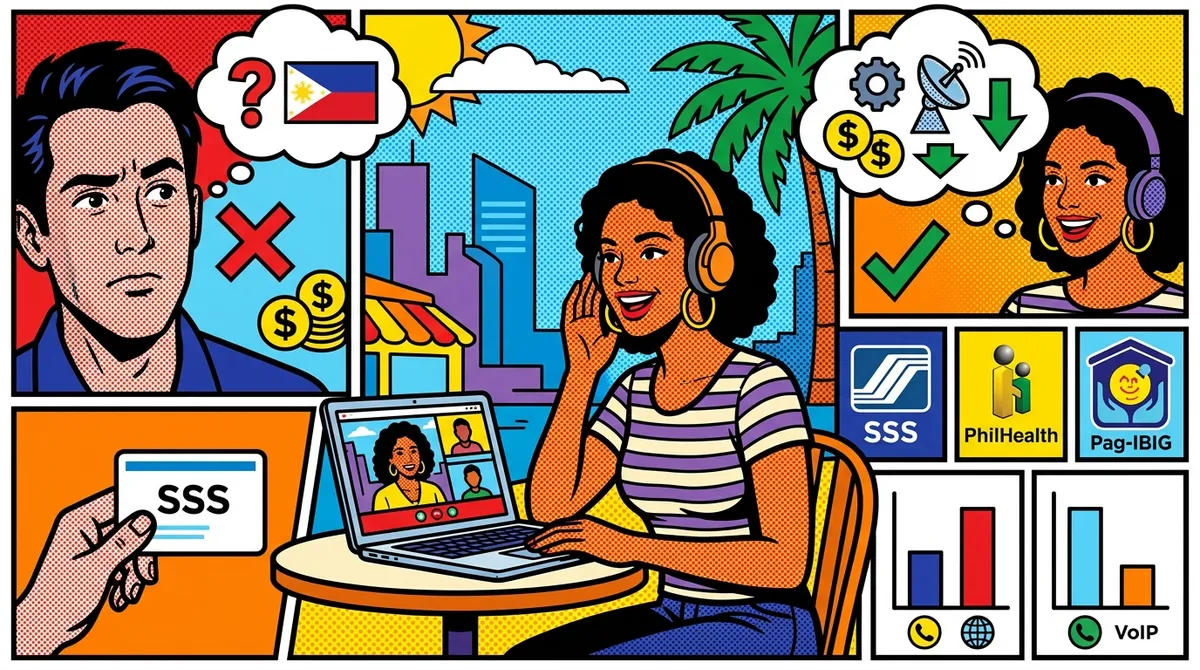
You’re sitting in a flat in Riyadh. Or a kitchen in Toronto. Or a coworking space in Singapore. Your phone rings. It’s a text from SSS: “Your contribution record has been updated.” But something looks wrong, and you need to call them. You pull up the SSS hotline number, and then reality hits. How exactly do you call the Philippines from abroad without spending a fortune?
If you’re an Overseas Filipino Worker or an expat with ties to the Philippines, you already know the drill. WhatsApp and Messenger work great for family — until they don’t. Some calls have to go through an actual phone line. Government agencies. Banks. Property managers. Your lola who still uses a landline.
This guide breaks down every method for calling the Philippines from abroad in 2026. Real rates, real tradeoffs, no fluff.
Why You Still Need to Call the Philippines by Phone
Messaging apps handle most day-to-day communication. But certain situations require an actual phone call to a Philippine landline or mobile number.
Government agencies. SSS, PhilHealth, Pag-IBIG, BIR, DFA — these offices have hotlines, not chat widgets. If you need to check your contribution status, update records, or follow up on a document, you’re calling a landline.
Banks and financial institutions. BDO, BPI, Metrobank, and other Philippine banks still rely heavily on phone-based customer service. Disputing a charge, unlocking an account, or verifying a transaction often means sitting on hold with a Manila landline.
Remittance issues. Sent money through a remittance service and the recipient hasn’t received it? The local branch might not have email. You’ll need to call.
Property and legal matters. Managing property in the Philippines from overseas means dealing with brokers, tenants, barangay offices, and lawyers. Many of them are most responsive by phone.
Family who aren’t on Messenger. Not everyone in the Philippines uses smartphones or has reliable internet. Older relatives, people in rural areas, and anyone with a spotty data connection might be easiest to reach on a regular phone line.
The Philippines Country Code: +63
Every call to the Philippines starts with the country code +63. Here’s how the number system works.
Calling a Philippine Landline
Philippine landlines use area codes. After the country code, you dial the area code (without the leading zero) followed by the local number.
Format: +63 + area code + local number
Common area codes:
- Metro Manila (NCR): 2 (followed by an 8-digit number)
- Cebu: 32
- Davao: 82
- Baguio: 74
- Angeles/Pampanga: 45
- Iloilo: 33
Example: To call a Manila landline 8123-4567, you’d dial +63 2 8123 4567.
Note: Metro Manila landlines switched to 8-digit numbers in 2019. If you have an old 7-digit Manila number, add an “8” at the front.
Calling a Philippine Mobile Number
Philippine mobile numbers are easy to recognize. They start with 09 locally, which becomes 9 after the country code.
Format: +63 + 9XX + XXX + XXXX
Common mobile prefixes:
- Globe/TM: 0905, 0906, 0915, 0916, 0917, 0926, 0927, 0935, 0936, 0937, 0945, 0955, 0956, 0965, 0966, 0967, 0975, 0976, 0977, 0995, 0996, 0997
- Smart/TNT/Sun: 0908, 0909, 0910, 0911, 0912, 0918, 0919, 0920, 0921, 0928, 0929, 0930, 0931, 0932, 0933, 0938, 0939, 0940, 0941, 0942, 0943, 0946, 0947, 0948, 0949, 0950, 0951, 0961, 0963, 0968, 0969, 0970, 0971, 0981, 0992, 0998, 0999
- DITO: 0895, 0896, 0897, 0898
Example: To call 0917-123-4567, you’d dial +63 917 123 4567.
Drop the leading zero from the mobile number when dialing internationally. This is the most common mistake people make.
Methods for Calling the Philippines From Abroad: Compared
There are several ways to make this call. Each has different costs, requirements, and tradeoffs.
| Method | Cost (10-min call to PH mobile) | Requires App? | Works Everywhere? | Call Quality |
|---|---|---|---|---|
| Carrier roaming | $20 - $30 | No | Yes | Good |
| Carrier international add-on | $3 - $10 | No | From home country | Good |
| Browser-based VoIP (NomaPhone) | Varies by destination | No | Yes | Good (needs internet) |
| App-based VoIP (Viber Out, etc.) | $1 - $3 | Yes | Yes | Variable |
| Calling card / prepaid | $1 - $5 | No | Yes | Variable |
| Free apps (Messenger, WhatsApp) | Free | Yes | Yes | Variable (both need app) |
Free apps only work when the person on the other end also has the app installed and an internet connection. For calling landlines, government hotlines, or people without smartphones, you need a service that connects to actual Philippine phone numbers.
Cost Comparison: Calling the Philippines in 2026
Let’s break down what each method actually costs.
Carrier Roaming
If you’re using your home carrier abroad and just dial a Philippine number, brace yourself.
- AT&T: $2.00 - $3.00 per minute, or $10/day International Day Pass
- T-Mobile (Magenta): $0.25 per minute in 200+ countries
- Verizon: $2.99 per minute, or TravelPass at $10/day
- EE (UK): Typically GBP 1 - 2 per minute
- Vodafone (UK): Typically GBP 1 - 3 per minute
A 30-minute call to Philippine SSS on AT&T roaming? That’s $60 to $90. And SSS hold times can be brutal.
T-Mobile’s Magenta plan is the most reasonable carrier option at $0.25/min, but that still adds up to $7.50 for a 30-minute call. And you have to be on the right plan.
Carrier International Add-Ons
Some carriers offer international calling add-ons from your home country (not while roaming).
- AT&T International Calling Pack: Varies by plan, often $15/month for a bucket of minutes
- T-Mobile Stateside International: $15/month for unlimited calls to landlines in 70+ countries, mobile rates vary
These can work if you’re calling from the US and the Philippines is included in the destination list. Check the fine print — mobile rates are often higher than landline rates.
Browser-Based VoIP
Services like NomaPhone, YadaPhone, and DialAnyone let you call Philippine numbers directly from your browser.
How it works: Open the website, enter the Philippine number, and call. No app installation. Works on any device with a browser and internet connection.
Rates to the Philippines vary by provider and whether you’re calling a landline or mobile. Check nomaphone.com for current rates to Philippine numbers.
Advantages:
- Works from any country where you have internet
- No app to download or update
- Pay-as-you-go credits that don’t expire (with NomaPhone)
- Much cheaper than carrier roaming
YadaPhone charges $0.02/min to the US and offers browser-based calling to 150+ countries, but lacks SMS/2FA support. DialAnyone is often the cheapest option at $0.005/min to the US with apps and browser calling to 210+ countries. Philippines rates differ — check each provider’s rate page for current pricing.
NomaPhone isn’t the cheapest VoIP option. It’s built for reliability. When you’re on hold with PhilHealth for 45 minutes, you need a call that doesn’t drop.
App-Based VoIP (Viber Out, Skype Replacement Services)
Viber Out is popular in the Philippines, which can be an advantage. You’ll need the Viber app installed.
Rates to Philippine mobile numbers through Viber Out are typically higher than browser-based VoIP services. Viber has strong coverage in Eastern Europe and parts of Asia, including the Philippines.
The downside: you need to install and maintain the app. Not ideal if you’re borrowing a device or using a shared computer.
Calling Cards and Prepaid Services
Still exist, still work. Buy a card or digital PIN, dial an access number, enter your PIN, then dial the Philippine number.
Pros: Work from any phone, no internet needed. Cons: Clunky experience, hidden fees (connection charges, maintenance fees, rounding to nearest minute), and quality can be unpredictable.
If you’re in a situation without internet access, calling cards are your fallback. Otherwise, browser-based calling is simpler and often cheaper.
Landline vs. Mobile Rates to the Philippines
This matters more than you might think. Calling a Philippine landline is almost always cheaper than calling a Philippine mobile number. The reason is infrastructure — mobile termination rates (what the Philippine carrier charges to complete the call) are higher for mobile networks.
What this means for you:
- If you’re calling a government hotline (SSS, PhilHealth, Pag-IBIG, BIR), you’re usually calling a landline. Good news — it’s the cheaper option.
- If you’re calling family on their cell phone, expect to pay more per minute.
- If you have a choice, ask your contact for their landline number when available.
The difference can be significant. With many VoIP providers, mobile rates to the Philippines are two to three times higher than landline rates. Over a long call, that adds up.
Common Issues When Calling the Philippines
”The Number Isn’t Working”
Check the format. The most common mistake is forgetting to drop the leading zero. If the local number is 0917-123-4567, you dial +63 917 123 4567 (not +63 0917 123 4567).
Manila landline confusion. Metro Manila switched to 8-digit landline numbers. Old directories might show 7-digit numbers. If you have a 7-digit Manila number, add “8” at the beginning. So 123-4567 becomes 8123-4567, and you’d dial +63 2 8123 4567.
Area code changes. The Philippines has updated its numbering plan in recent years. If you’re using a number from an old document, verify the area code is still correct.
Calls to Government Hotlines
SSS hotline: The SSS has multiple numbers — a landline and a text-based system. For voice calls, verify the current number on the SSS website (sss.gov.ph) before calling. Hold times vary, but mornings (Philippine time, GMT+8) tend to be less congested.
PhilHealth: Similar situation. Check the PhilHealth website for the latest hotline number. Some services are available through their online portal, which might save you the call.
Pag-IBIG: The Pag-IBIG Fund has a hotline and regional numbers. If you know which branch handles your account, calling directly can be faster than the national hotline.
Tip: Philippine government offices typically operate Monday to Friday, 8:00 AM to 5:00 PM Philippine Standard Time (GMT+8). Plan your call accordingly based on your time zone.
Audio Quality Issues
If you’re using VoIP (browser or app), call quality depends on your internet connection. A few things to keep in mind:
- Use Wi-Fi when possible. Cellular data can be inconsistent, especially while traveling.
- Close other bandwidth-heavy applications. Streaming video while on a call is a recipe for choppy audio.
- Wired connections beat wireless. If you’re in a coworking space or hotel, an ethernet cable (if available) gives more stable audio than Wi-Fi.
- Test before important calls. If you need to call a bank or government office, make a quick test call first to check your connection quality.
Time Zone Planning
The Philippines is on Philippine Standard Time (PST), which is UTC+8. There’s no daylight saving time, so the offset stays the same year-round.
Quick reference for common OFW locations:
| Your Location | Time Difference from Philippines |
|---|---|
| Saudi Arabia (AST) | Philippines is 5 hours ahead |
| UAE (GST) | Philippines is 4 hours ahead |
| USA - Eastern (ET) | Philippines is 12-13 hours ahead |
| USA - Pacific (PT) | Philippines is 15-16 hours ahead |
| Canada - Eastern | Philippines is 12-13 hours ahead |
| UK (GMT/BST) | Philippines is 7-8 hours ahead |
| Singapore (SGT) | Same time zone |
| Hong Kong (HKT) | Same time zone |
| Japan (JST) | Philippines is 1 hour behind |
| Australia - Sydney (AEST) | Philippines is 2-3 hours behind |
| Italy (CET/CEST) | Philippines is 6-7 hours ahead |
Quick Reference: Calling the Philippines
Country code: +63
To call a landline: +63 + area code (no leading zero) + local number Example: +63 2 8123 4567 (Manila)
To call a mobile: +63 + 9XX XXX XXXX (drop the leading zero) Example: +63 917 123 4567
Common area codes:
- Metro Manila: 2
- Cebu: 32
- Davao: 82
- Baguio: 74
- Iloilo: 33
Government hotlines (verify current numbers before calling):
- SSS: Check sss.gov.ph
- PhilHealth: Check philhealth.gov.ph
- Pag-IBIG: Check pagibigfund.gov.ph
- BIR: Check bir.gov.ph
Office hours: Monday - Friday, 8:00 AM - 5:00 PM PST (UTC+8)
Best calling method from abroad: Browser-based VoIP for most situations. No app needed, works from any country, and significantly cheaper than carrier roaming.
Tips for OFWs Calling Home Regularly
If you call the Philippines frequently, a few strategies can save you money and hassle.
Buy credits in advance. With pay-as-you-go services like NomaPhone, you buy credits once and use them whenever you need to call. No subscription, no expiring minutes. Credits never expire — use them this month or six months from now.
Save your frequently called numbers. Sounds basic, but having Philippine numbers saved in the correct international format (+63 prefix, no leading zero) means you won’t fumble with formatting during an urgent call.
Know when to call and when to message. For quick questions, Messenger or Viber messages to family are free and instant. Save your calling credits for situations that actually require a voice call — government offices, banks, landline-only contacts.
Check rates before you call. Landline and mobile rates differ. If you’re calling a business or government office, confirm whether you’re dialing a landline or mobile number. This can cut your cost in half.
Use the same browser-based service consistently. Switching between VoIP providers means managing multiple accounts and credit balances. Pick one that works reliably and stick with it.
Is NomaPhone Right for Calling the Philippines?
NomaPhone is built for exactly this kind of situation. You’re abroad, you need to call a Philippine number, and you don’t want to deal with expensive roaming or app installations.
Here’s what you get:
- Browser-based calling. Open the website, enter the number, call. Works on your laptop, tablet, or phone browser. No app download.
- Pay-as-you-go. Buy credits starting at $5. Use them for calls to the Philippines or any of 210+ countries. No monthly subscription.
- Credits never expire. Buy once, use whenever. No “use it or lose it” pressure.
- Works from anywhere. Whether you’re in Riyadh, Toronto, Singapore, Rome, or anywhere else with internet, the experience is the same.
- Reliable connections. When you’re on hold with SSS or PhilHealth, you need a call that stays connected. That’s what NomaPhone is built for.
NomaPhone isn’t the cheapest VoIP service available. DialAnyone and YadaPhone both offer lower per-minute rates for some destinations. But NomaPhone is designed for calls that matter — the ones where a dropped connection means starting the whole process over again.
For current rates to Philippine landlines and mobiles, check nomaphone.com.
Ready to call the Philippines without worrying about roaming charges? Try NomaPhone. Open your browser, buy $5 in credits, and make your first call in under 30 seconds. No app, no contract, no expiring credits. Just a reliable connection to the number you need to reach. Visit nomaphone.com to get started.