Bank Fraud Alert While Traveling? Here's What to Do
Got a bank fraud alert traveling abroad? Step-by-step guide to verify your account, call your bank cheaply, and prevent future fraud alerts while overseas.
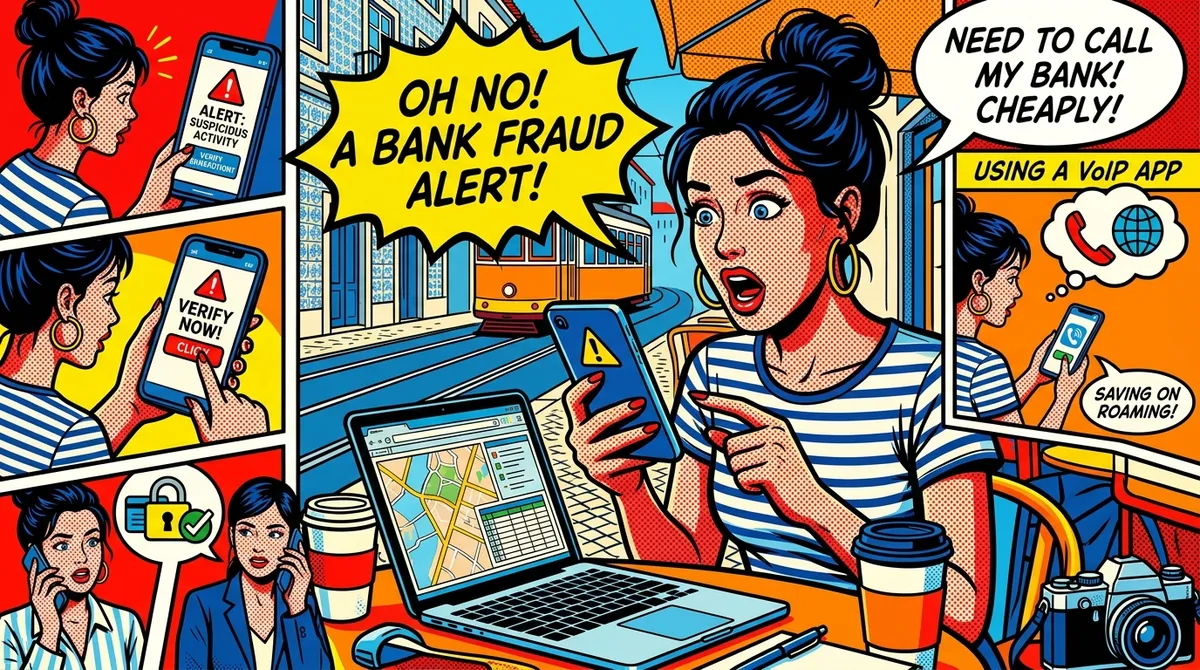
You’re at a restaurant in Bangkok. The pad thai just arrived. You reach for your card and the server comes back shaking their head. Declined.
Then your phone buzzes. Text from your bank: “Suspicious activity detected on your account ending in 4821. If you did not authorize this transaction, call us immediately at 1-800-…”
Your stomach drops. Is someone actually using your card? Or did the bank just flag your dinner because you’re 8,000 miles from home?
Either way, you need to deal with this bank fraud alert traveling abroad right now. Not tomorrow. Not when you get back to the hotel. Now.
Here’s exactly what to do.
Step 1: Don’t Panic (But Do Act Fast)
Take a breath. Most fraud alerts from banks while traveling are false positives. Your bank sees a transaction in Thailand when your last purchase was a coffee in Denver, and it freaks out.
But you can’t just ignore it. Here’s why:
- Your card might be frozen until you verify the transaction
- If it IS real fraud, every minute counts
- Some banks will lock your entire account — not just the card — after repeated unverified alerts
The first 15 minutes matter. Don’t finish dinner first. Don’t wait until you’re back at your Airbnb. Handle it now.
Step 2: Check Your Banking App
Before you call anyone, open your bank’s mobile app. Most major banks (Chase, Bank of America, Wells Fargo, Citi) let you:
- Review recent transactions — Do you recognize them all? If yes, this is likely a false alarm triggered by your location.
- Respond to the fraud alert directly — Many apps have a “Yes, this was me” button right in the notification or alert center.
- Temporarily lock/unlock your card — If you see charges you didn’t make, lock the card immediately through the app.
If you can confirm or deny the transaction through the app, you might not need to call at all. Problem solved in two minutes.
But if the app says “Call us to verify” or your account is fully locked, you’re going to need to make a phone call.
Step 3: Call Your Bank (From Abroad, Without Going Broke)
This is where it gets expensive if you’re not prepared. Your bank’s fraud line is a US phone number. You’re overseas. Roaming rates apply.
And here’s the kicker — fraud departments have hold times. Sometimes 10 minutes, sometimes 45. You’re paying for every second of that hold music.
How Much Does It Actually Cost to Call Your Bank from Abroad?
Let’s say your fraud verification call takes 30 minutes total (15 minutes on hold, 15 minutes talking to a human). Here’s what you’d pay depending on your method:
| Method | Cost for 30 min | Setup Time | Works Anywhere? |
|---|---|---|---|
| AT&T roaming | $60.00 - $90.00 | Instant | Yes (where you have signal) |
| Verizon roaming | $89.70 | Instant | Yes (where you have signal) |
| T-Mobile (Magenta) | $7.50 | Instant | 200+ countries |
| Calling card | $3.00 - $8.00 | 5-10 min | Most countries |
| Google Voice | Free | Complex setup | US residents only, quality issues abroad |
| Browser-based VoIP (NomaPhone) | $0.90 | Under 1 min | Anywhere with WiFi |
The difference is staggering. A 30-minute fraud verification call costs less than a dollar with browser-based calling. The same call on AT&T roaming could cost more than your dinner.
Why Banks Flag International Transactions
Understanding why this happens helps you prevent it. Banks use automated fraud detection systems that look for anomalies. Here’s what triggers them:
Location jumps. You bought groceries in Austin yesterday and now there’s a charge in Bangkok. The system flags this because no human can physically travel that fast. (Well, you can. But the algorithm doesn’t know you’re a digital nomad.)
Unusual spending patterns. You normally spend $4 on coffee. Suddenly there’s a $200 charge at a business the system doesn’t recognize, in a country you’ve never transacted in before.
High-risk countries. Some regions have higher rates of card fraud. Banks are more aggressive about flagging transactions in those areas. Southeast Asia, parts of Eastern Europe, and certain countries in South America tend to trigger more alerts.
Multiple rapid transactions. Arrived in a new country and immediately bought a SIM card, paid for a taxi, checked into a hotel, and grabbed food? That burst of activity in a new location looks suspicious to an algorithm.
Currency conversion. The transaction hits your bank in Thai baht or Colombian pesos. Foreign currency transactions alone can trigger additional scrutiny.
How to Actually Make That Call
You’re sitting in the restaurant. Card is frozen. You need to call the bank. Here are your realistic options, ranked by practicality in the moment:
Option 1: Browser-Based VoIP (Best for Most Travelers)
Open your phone’s browser. Go to a service like NomaPhone. You can be on a call to your bank’s fraud line in under 30 seconds.
- Cost: $0.03/min to US numbers (that’s three cents)
- Works on: Any device with a browser and WiFi
- No app to download, no account setup needed ahead of time
- A 30-minute call costs $0.90
This is the option that makes the most sense when you’re sitting in a restaurant with WiFi and need to call right now.
Option 2: Your Carrier’s International Roaming
If you have T-Mobile Magenta, you’re in decent shape at $0.25/min. Still adds up on a long hold, but manageable.
If you have AT&T or Verizon without an international plan, brace yourself. You’re looking at $2.00 to $2.99 per minute. A 30-minute call could cost $60-$90.
Option 3: Google Voice
If you’re a US resident and already have Google Voice set up, you can call US numbers for free over WiFi. The catch: you need to have set this up before you left. And call quality from Asia can be rough — echo, lag, dropped calls. Not ideal when you’re trying to verify your identity with a fraud department.
Option 4: WiFi Calling Through Your Carrier
Some carriers support WiFi calling abroad. If it works, your call is treated as domestic. Big “if” though — it’s inconsistent, and many carriers disable WiFi calling internationally.
Option 5: Ask the Restaurant
Seriously. In an emergency, some restaurants or hotels will let you use their phone. You’ll owe them for the international call, but it’s an option if everything else fails.
What to Say When You Get Through
Once you’re on the line with the fraud department, here’s how to make this go smoothly:
- Have your account number ready. It’s in your banking app. Don’t fumble for it during the call.
- Know your verification answers. Mother’s maiden name, last four of your SSN, security questions — whatever your bank uses.
- Explain you’re traveling. Say: “I’m currently traveling internationally in [country]. The flagged transaction was mine.”
- Ask them to add a travel notice if they haven’t already. This reduces future false alerts.
- Confirm your card is unlocked before you hang up. Don’t assume — ask explicitly.
- Ask for a reference number for the call. If something goes wrong later, you have documentation.
The whole call usually takes 10-20 minutes once you get a human. It’s the hold time that kills you.
The 2FA Problem When Traveling
Here’s a scenario that makes fraud alerts even worse: your bank sends a two-factor authentication code via SMS to your US phone number, but you’re using a local SIM card abroad.
If you swapped out your US SIM for a local one, you can’t receive that text. Now you’re locked out of your account AND you can’t verify your identity.
How to avoid this:
- Keep your US SIM active. Use an eSIM for local data and keep your US number on the physical SIM (or vice versa). Most modern phones support dual SIM.
- Use an authenticator app instead of SMS 2FA where possible. Google Authenticator, Authy, or 1Password all work offline regardless of which SIM is in your phone.
- Set up email-based 2FA as a backup. Not as secure as an authenticator app, but better than being locked out entirely.
- Save your bank’s backup codes before you travel. Most banks provide one-time recovery codes. Store them somewhere secure (password manager, encrypted note — not a sticky note in your wallet).
How to Prevent Fraud Alerts Before You Travel
The best fraud alert is the one that never happens. Here’s what to do before your next trip:
Set a Travel Notice
Most banks let you set travel notices through their app or website. Tell them:
- Which countries you’ll be visiting
- Your travel dates (add a buffer — plans change)
- Whether you’ll be using your card for purchases, ATM withdrawals, or both
Banks that offer travel notices online:
- Chase: Through the app or chase.com
- Bank of America: App or online banking
- Wells Fargo: App or online banking
- Capital One: No longer requires travel notices (their fraud system adapts automatically)
- Citi: Through the app
Set these for every card you plan to use, including debit cards.
Bring Backup Payment Methods
Never travel internationally with just one card. Here’s a solid setup:
- Primary credit card with travel notice set
- Backup credit card from a different bank (if Chase freezes your card, your Bank of America card still works)
- Debit card for ATM withdrawals, with a travel notice set
- Some local cash as a last resort
If your primary card gets frozen at dinner, you pull out the backup. Crisis averted while you sort things out.
Enable Push Notifications
Turn on real-time transaction alerts for every card you travel with. When you get an alert for a charge you made, you know everything is fine. When you get an alert for a charge you didn’t make, you know immediately — not three days later when you check your statement.
Use Cards with No Foreign Transaction Fees
This doesn’t prevent fraud alerts, but it prevents a different kind of pain. Cards with foreign transaction fees add 3% to every purchase abroad. Cards like the Chase Sapphire Preferred, Capital One Venture, or the no-annual-fee Capital One Quicksilver charge 0% in foreign transaction fees.
Keep Your Bank’s International Number Saved
Your bank’s 1-800 number won’t work from outside the US. Every major bank has a collect-call or direct-dial number for international callers. Find it before you leave and save it in your phone:
- Chase: +1-713-262-3300
- Bank of America: +1-315-724-4022
- Wells Fargo: +1-925-825-7600
- Citi: +1-210-677-0065
- Capital One: +1-804-934-2001
These are non-toll-free numbers you can dial from anywhere in the world.
Quick Reference Checklist
Keep this handy for the next time a fraud alert hits while you’re abroad:
Immediately:
- Open your banking app
- Check if you can verify the transaction in-app
- If not, lock your card through the app while you prepare to call
Within 15 minutes:
- Connect to WiFi
- Call your bank using a low-cost method (browser VoIP, Google Voice, or WiFi calling)
- Verify your identity and confirm or deny the flagged transactions
- Ask for a travel notice to be added
- Confirm your card is unlocked before hanging up
After the call:
- Test your card with a small purchase
- Check your account for any unauthorized transactions you might have missed
- Consider setting up an authenticator app for 2FA if you haven’t already
Before your next trip:
- Set travel notices on all cards
- Save your bank’s international phone number
- Confirm your 2FA setup works without your US SIM
- Pack a backup card from a different bank
It Doesn’t Have to Be This Stressful
Getting a fraud alert abroad feels like an emergency. And in the moment, it kind of is — you need your card to work, you need to reach your bank, and you’re thousands of miles from the nearest branch.
But with the right preparation and a cheap way to call, the whole thing takes 15-20 minutes to resolve. The key is not paying $75 in roaming charges for the privilege of sitting on hold.
Three cents a minute for a call that gets your card unfrozen? That’s the kind of math that makes sense.
NomaPhone lets you call US bank fraud lines from anywhere with a browser and WiFi. No app download, no complicated setup. Just open your browser, dial the number, and you’re connected in under 30 seconds. At $0.03/min, a 30-minute fraud verification call costs you $0.90 — not $90. Your credits never expire, so you can load up before your trip and they’ll be there when you need them. Try NomaPhone and see how it works.